
Churn alerts
Know when an account starts slipping
before it’s too late to act.
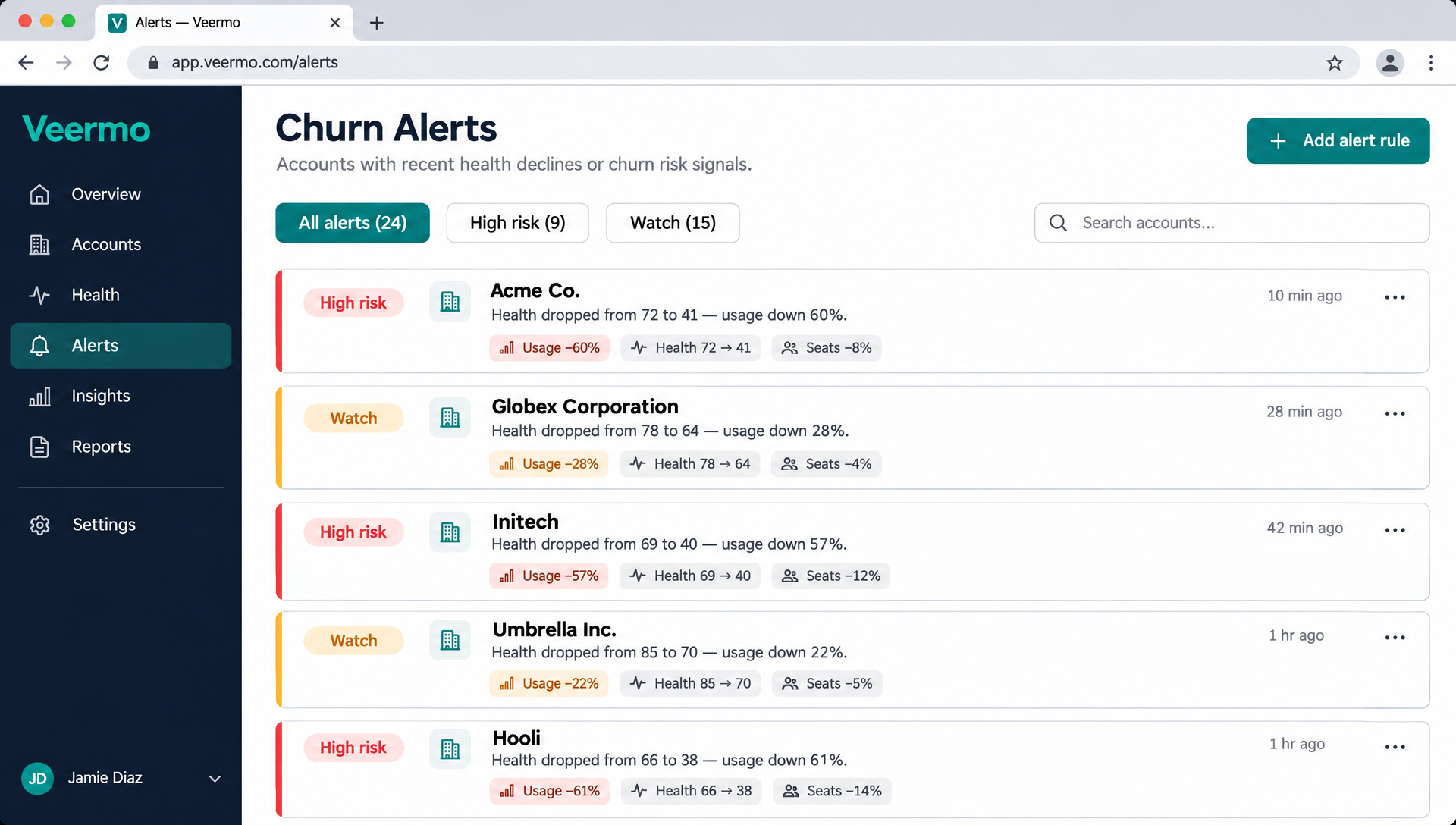
Veermo watches every account’s risk level and alerts the owner the moment it changes, with the reason and the signals behind it, delivered to Slack or email.
How alerts work
From risk change to action in minutes.
- Health score shiftsVeermo scores every account daily. When the score crosses a threshold, the account’s risk level changes automatically.
- Alert fires with the reasonThe alert includes the signals that caused the change: a usage drop, fewer active seats, or a spike in support tickets.
- Delivered to the account ownerEach alert goes to Slack or email, routed directly to the person responsible for that account. No triage needed.
- Owner opens the account and actsOne click to the full account view, where the owner can start a save playbook or reach out directly.
What triggers an alert
Four signal types that predict churn weeks early.
| Alert type | Signal | Example | Urgency |
|---|---|---|---|
| Risk level change | Health score crosses a threshold | Account drops from Healthy to Watch | High |
| Usage drop | Product activity falls significantly | Daily active users down 40% over two weeks | High |
| Support spike | Unusual increase in ticket volume | 3x normal support tickets in one week | Medium |
| Renewal approaching | At-risk account nears renewal date | Watch-level account renews in 30 days | Critical |
Delivery channels
Alerts arrive where your team already works.
No new tool to check, no dashboard to remember to open. Veermo sends alerts to the channels your team watches every day.
Slack
Alerts post to a channel or DM. The message includes the account name, risk level, reason and a link to the account view. React with an emoji to claim the follow-up.
Daily digest or real-time alerts to the account owner’s inbox. Each email shows the health score change, the signals behind it and a direct link to the account.
Routing rules
Route alerts by segment, risk level or account size. Send enterprise accounts to a Slack channel. Send SMB alerts to a digest. Each team sees only what’s relevant.
“My team manages 200 accounts each. Without Veermo’s health scores, we’d still be guessing who to call first.”
James Park
Senior CSM, Calendly
Works with your existing tools
Veermo reads data from Stripe, HubSpot, Salesforce and Intercom. Alerts flow back to Slack and email. No new workflow to learn.
FAQ
Common questions about churn alerts
What triggers a churn alert?
An alert fires when an account’s risk level changes, for example from Healthy to Watch or from Watch to High. Veermo scores every account daily, so shifts are caught within a day of the underlying signals changing.
Can I choose which channels receive alerts?
Yes. You can send alerts to Slack channels, direct messages or email. Route different alert types or segments to different destinations so each team sees only what’s relevant.
Will I get too many alerts?
Alerts fire on risk-level changes, not every minor score fluctuation. Most teams see a manageable volume because the thresholds filter out noise and surface only meaningful shifts.
Do alerts include enough context to act?
Every alert names the account, the new risk level, and the specific signals that caused the change. The account owner can open the full account view directly from the alert.
Stop finding out about churn at renewal.
Connect your data today and see which accounts are veering away by tomorrow morning.